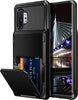

The Galaxy S21 Ultra is a powerhouse, with a giant 6.8-inch screen and a camera system that turns heads. A phone like that deserves a case that adds features, not just bulk. This case brings a removable ring kickstand, a card holder, and a slide camera cover together in one design. Pop the kickstand part off and you can still charge wirelessly without removing the whole case. It is a clever setup for anyone who wants their phone to work harder.

Why This Case Matters
The S21 Ultra's big screen is perfect for movies, video calls, and scrolling. But holding a large phone for long stretches gets tiring fast. A kickstand lets you set it down and enjoy the view hands-free.
That camera bump is another concern. The S21 Ultra's camera module is large and prominent, which makes it vulnerable to scratches. A slide cover lets you shield the lenses when you are not shooting.
Then there is the everyday convenience of carrying a card with your phone. A built-in card holder means you can leave the wallet behind for quick errands.
For Pepper Fam members who want more function from their case, the Galaxy S21 Ultra removable kickstand card holder case packs a lot into one design.
Key Features Breakdown
Made for the Galaxy S21 Ultra. The case is designed for the Samsung Galaxy S21 Ultra with its 6.8-inch display.
Removable kickstand. The kickstand back part is removable. When it is attached, the ring holder lets you prop up your phone for movies and video calls on a desk or table.
Wireless charging friendly. According to the listing, removing the kickstand back part lets the case support wireless charging. You do not need to take the whole case off your phone.
Card holder. The design includes a card holder for carrying a card with your phone. It is handy for an ID, transit pass, or payment card.
Low-profile ring holder. The listing describes an invisible ring holder on the case. It stays discreet until you need it as a stand.
Slide camera cover. A slide cover protects and hides the camera when you are not using it. Slide it open to shoot, then close it to keep the lenses covered.
Versatile style. The design is described as business, simple, and luxury, making it suitable for many occasions. It is a good gift for women or men.
Who This Case Is For
Streamers and binge-watchers will love the kickstand. Prop up your S21 Ultra and enjoy that big screen without holding it.
Minimalists who prefer carrying less will appreciate the card holder. Leave the bulky wallet at home and head out with just your phone.
Privacy-minded users will like the slide camera cover. Close it when the camera is not in use for extra peace of mind and lens protection.
Wireless charging fans get a smart compromise. Just remove the kickstand part and set your phone on the pad.
If you prefer a super-thin case with no extras, this may feel feature-heavy. But if you want function, it delivers.
Technical Details
Compatible device: Samsung Galaxy S21 Ultra, 6.8-inch.
Kickstand: Removable kickstand back part with a low-profile ring holder.
Card storage: Built-in card holder.
Camera: Slide camera cover.
Charging: Supports wireless charging once the kickstand back part is removed.
Style: Business, simple, and luxury design for many occasions.
Customer Story: The Commuting Consultant
Picture this: a consultant we will call Andre takes the train to client offices three days a week. His Galaxy S21 Ultra holds his calendar, his notes, and his entertainment for the ride home. He always carried a bulky wallet just for his transit card and company ID.
He switches to a case with a card holder and a removable kickstand. Now his transit card lives on his phone, and he taps through the turnstile without digging through his bag. On the ride home, he props up the phone on his tray table with the kickstand and catches up on a show.
He closes the slide camera cover before meetings, which keeps the lenses protected inside his bag. At night, he pops off the kickstand part and drops his phone on his wireless charger. One case handles his whole routine.
Protection Tips from the Pepper Crew
1. Add a screen protector. This case focuses on the back and camera. A screen protector rounds out your coverage.
2. Close the camera slide. Make it a habit to close the slide when you put your phone away. It keeps lenses free from scratches and fingerprints.
3. Do not overload the card holder. Carry only what fits comfortably. Overstuffing can stretch the holder and loosen the fit.
4. Remove the kickstand before wireless charging. Follow the listing's advice and detach the kickstand part for charging. It keeps charging smooth and efficient.
5. Keep the kickstand part safe. When you detach it, set it somewhere you will remember. A small dish by your charger works great.
6. Clean the camera slide track. Dust can collect in the slide track. A soft brush or cloth keeps it gliding smoothly.
What's in the Box and How to Install
You will receive the Galaxy S21 Ultra case with its removable kickstand back part, card holder, and slide camera cover. Check the product page for the latest details.
Step 1: Clean your phone's back and camera area with a soft cloth.
Step 2: Fit the top corners of your phone into the case first, then press the bottom corners into place.
Step 3: Check that the slide camera cover moves smoothly and lines up with the lenses.
Step 4: Attach the kickstand back part if it is separate. Test the ring stand and the card holder.
Frequently Asked Questions
1. Which phone does this case fit?
This case is designed for the Samsung Galaxy S21 Ultra with its 6.8-inch display. It will not fit the standard Galaxy S21 or S21 Plus, which have different sizes and camera layouts. Always confirm your model before ordering to get a secure fit and properly aligned cutouts.
2. Does this case support wireless charging?
Yes, with one step. According to the listing, you remove the kickstand back part of the case, and then it supports wireless charging without taking the whole case off your phone. This is a smart compromise that lets you keep both the kickstand and wireless charging.
3. How does the kickstand work?
The case has a ring holder built into the removable kickstand back part. When attached, it lets you prop up your phone on a desk or table to watch movies or join video calls hands-free. It is designed to sit discreetly when you are not using it.
4. What can I store in the card holder?
The card holder is designed to carry a card with your phone. Many people use it for an ID, a transit pass, or a payment card. Keep it to what fits comfortably so the case stays snug and the card does not slip out unexpectedly.
5. What does the slide camera cover do?
The slide camera cover protects and hides the camera lenses when you are not using them. Slide it open when you want to take photos, and close it afterward. This helps prevent scratches on the S21 Ultra's large camera module and adds a layer of privacy.
6. Is the kickstand removable?
Yes, the kickstand back part is removable. You can take it off when you want a slimmer feel or when you want to charge wirelessly. Snap it back on when you need the stand again. Just keep it somewhere safe when it is detached.
7. Will my phone wobble on the kickstand?
On a flat, stable surface, the ring kickstand is designed to hold your phone steady for viewing. Soft or uneven surfaces like pillows can make any stand less stable. For the best results, use it on a table, desk, or tray when watching videos.
8. Is this case good for business use?
Yes, the listing describes the style as business, simple, and luxury, suitable for all kinds of occasions. It looks professional in meetings while adding practical features like a card holder and kickstand. It works well for consultants, salespeople, and anyone who travels for work.
9. Does the case protect the screen?
The case focuses on protecting the back, sides, and camera. The listing does not mention a built-in screen protector. We recommend adding a separate screen protector designed for the Galaxy S21 Ultra so your phone is covered from front to back.
10. Will the card interfere with wireless charging?
Cards with chips or magnetic strips can sometimes interfere with wireless charging or be affected by it. If you notice slow charging, remove the card before setting your phone on the charger. This also helps protect your card from any potential issues.
11. Is the case bulky?
With a kickstand, card holder, and camera slide, it is a bit more substantial than a thin case. The removable kickstand helps you slim things down when you want. Most users find the added function well worth the extra size on a big phone like the S21 Ultra.
12. How do I clean the case?
Remove your phone and wipe the case with a damp cloth and mild soap. Clean the camera slide track with a soft brush to remove dust. Dry everything thoroughly before reinstalling your phone. Avoid harsh chemicals that could damage the finish or the slide mechanism.
13. Is this case a good gift?
Yes, the listing calls it a good gift for women or men. Its simple, versatile style works for many tastes, and the practical features appeal to almost anyone. Just confirm the recipient has a Galaxy S21 Ultra before gifting so it fits right away.
14. Can I use the ring as a finger grip?
The listing describes the ring as a holder that lets you free your hands on a desk. Many ring holders can also be used as a grip for extra security when holding a large phone. Try it out and see what feels most comfortable for your hand.
15. Where can I buy this case?
You can buy it on Redpepper Cases from the Galaxy S21 Ultra removable kickstand card holder case product page. The page shows current pricing and photos. It is a feature-packed pick for anyone who wants more convenience from their S21 Ultra every day.
Final Verdict: Is This the Right Case for You?
If you want your Galaxy S21 Ultra case to do more than sit there, this one is worth a look. The removable kickstand, card holder, and slide camera cover add real everyday convenience. Wireless charging still works once you pop off the kickstand part.
It is a versatile, business-friendly design that fits work days and weekends alike. Think of it as a case with a little extra kick. Your S21 Ultra gets more useful the moment you snap it on.
Ready to upgrade? Check out the Galaxy S21 Ultra removable kickstand card holder case on Redpepper Cases. Pepper Fam, your big screen just got a lot more convenient.
Want to see the details again? Visit the product page anytime.